# LabA02 Shaders and Transforms

<figure><img src="https://3464970502-files.gitbook.io/~/files/v0/b/gitbook-x-prod.appspot.com/o/spaces%2F3JUKGJZ67JX02QZdPhsy%2Fuploads%2FUhlXi5nLAwT6PjZuxUpK%2Fimage.png?alt=media&#x26;token=2946c52a-1207-4373-8a9c-68d06a3c2001" alt="" width="483"><figcaption></figcaption></figure>

## Key skills to learn

Draw triangles with indices and attibutes

Vertex and fragment shader programming

GLM transform matrix and rotation

\[Optional] Interactive GLFW keyboard events

## Tasks

2.1.1 Draw Multiple Triangles using Indices

2.1.2Adding vertex colour attributes

2.2 Drawing triangles with vertex colours using vertex and fragment shaders

2.3 Using GLM to perform transformations

2.4 \[Optional] Draw and rotate a cube

2.5 \[Optional] Draw a pyramid and interacively rotate it with keys

## External libraries

OpenGL Mathematics (GLM) : for vector and matrix calculation

## Github source code

### View code in VS Code

You can also access the Github repository in your VS Code and interactively choose different branches and tags.

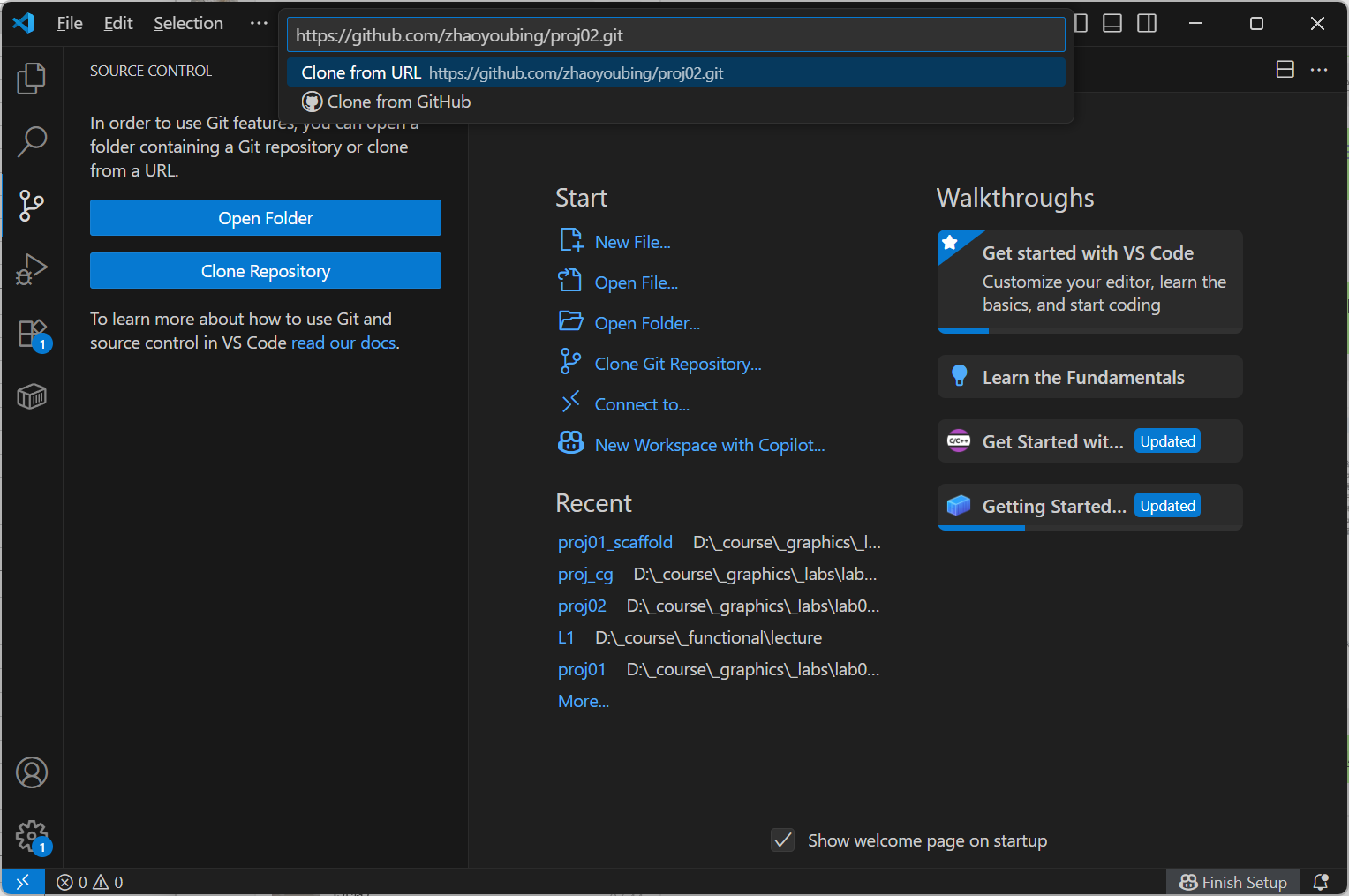
Start VSCode, Select "Clone Repository from" <https://github.com/zhaoyoubing/proj02.git>&#x20;

<figure><img src="https://3464970502-files.gitbook.io/~/files/v0/b/gitbook-x-prod.appspot.com/o/spaces%2F3JUKGJZ67JX02QZdPhsy%2Fuploads%2FSFdP3HV0YSRvtUFwWfhS%2Fimage.png?alt=media&#x26;token=c69e2392-560e-4d3e-bce0-6496ba55d49e" alt=""><figcaption></figcaption></figure>

Select a folder as the parent folder of your cloned repository, after downloading, you will see

<figure><img src="https://3464970502-files.gitbook.io/~/files/v0/b/gitbook-x-prod.appspot.com/o/spaces%2F3JUKGJZ67JX02QZdPhsy%2Fuploads%2FRqjLOxdu3XON08wLAGw5%2Fimage.png?alt=media&#x26;token=6dc6330c-f9cb-4a95-9132-79a1e93e5946" alt=""><figcaption></figcaption></figure>

Switch to the source control view

<figure><img src="https://3464970502-files.gitbook.io/~/files/v0/b/gitbook-x-prod.appspot.com/o/spaces%2F3JUKGJZ67JX02QZdPhsy%2Fuploads%2FNPteA9r8p078FiK8vqxC%2Fimage.png?alt=media&#x26;token=769d63f2-5eb1-4a90-9ca8-9cf393b31785" alt=""><figcaption></figcaption></figure>

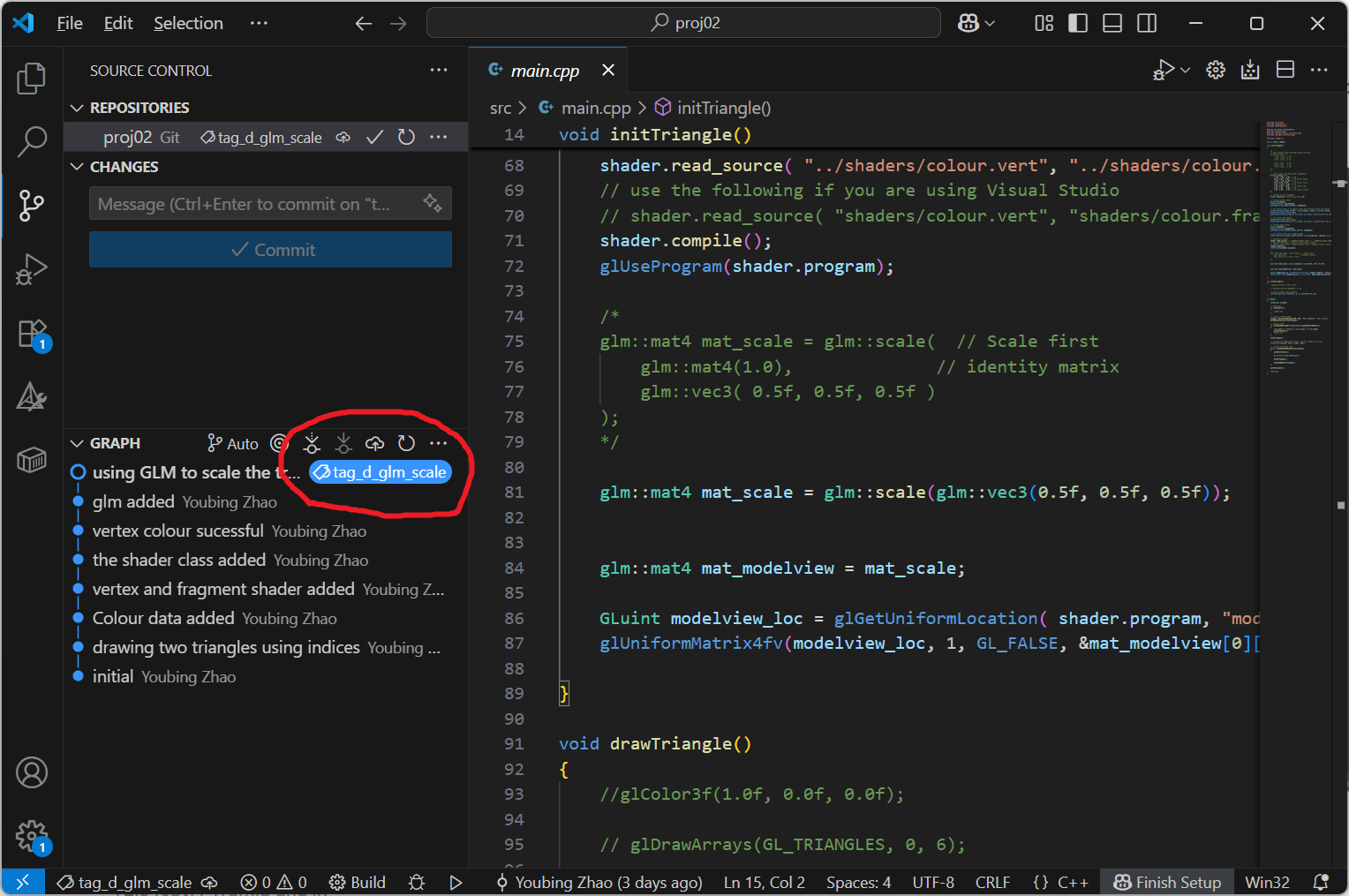
Click on main, you will see branches and tags, select the branch or tags to view the source code for help

<figure><img src="https://3464970502-files.gitbook.io/~/files/v0/b/gitbook-x-prod.appspot.com/o/spaces%2F3JUKGJZ67JX02QZdPhsy%2Fuploads%2FVO6KWsPjuSnCznvXQvgm%2Fimage.png?alt=media&#x26;token=8d9fecb0-b9e5-489d-b2b1-d1065a17e66e" alt=""><figcaption></figcaption></figure>

You source code will be updated to your selected branch or tag

<figure><img src="https://3464970502-files.gitbook.io/~/files/v0/b/gitbook-x-prod.appspot.com/o/spaces%2F3JUKGJZ67JX02QZdPhsy%2Fuploads%2Fa0WpE3IHTAmx06hCLR0U%2Fimage.png?alt=media&#x26;token=0a740e85-0ed6-44ff-86a5-648d8e12fa11" alt=""><figcaption></figcaption></figure>

### Online browsing

<https://github.com/zhaoyoubing/proj02/tree/tag_a_two_triangle>

Select different tags/branches to browse different stages.

### Direct Download

<https://github.com/zhaoyoubing/proj02/tags>

Use different tags/branches to download different stages in the lab. But you will not see the Git history.&#x20;