# Step 6 Run

## VSCode

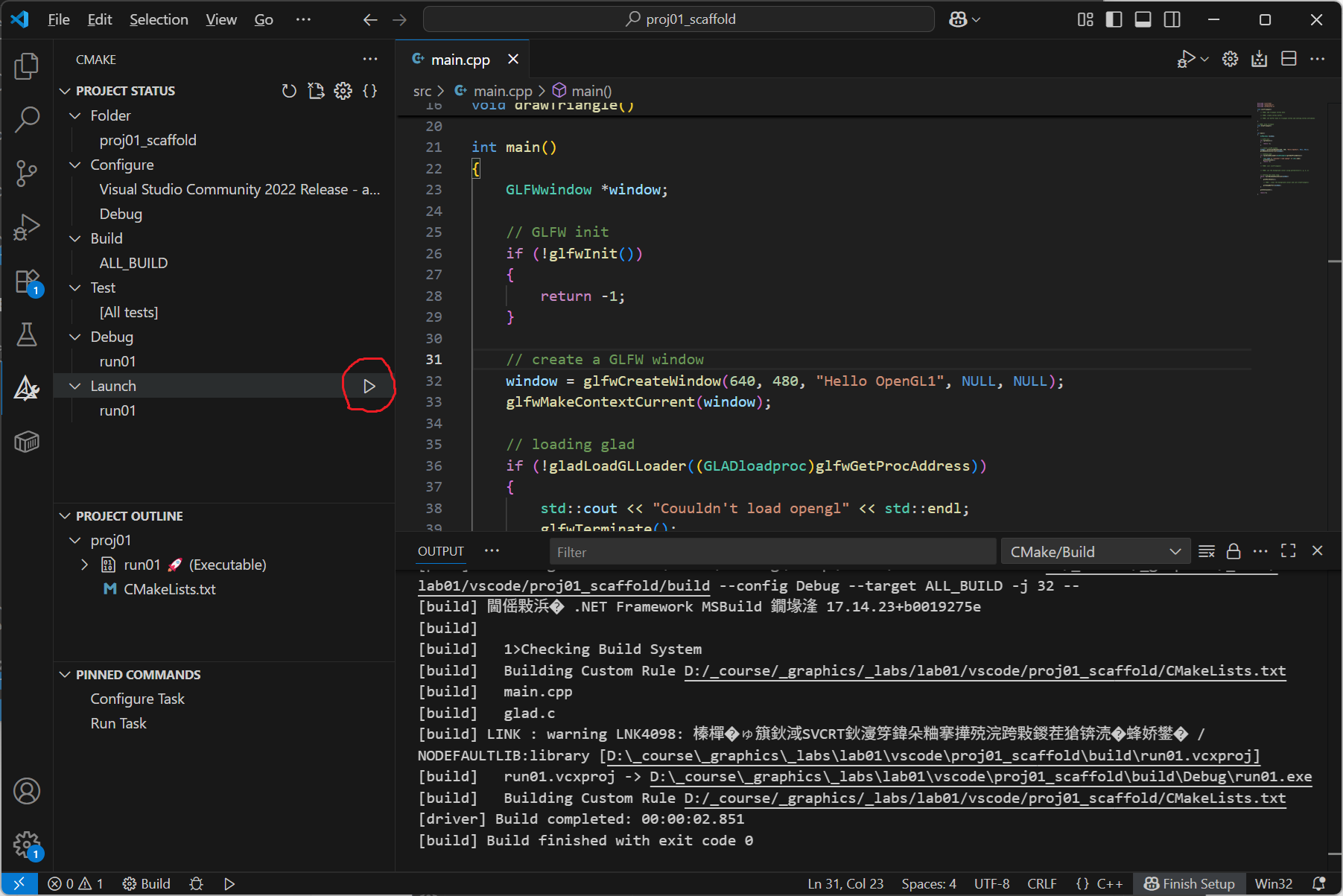
The most convenient way to build and run your program is using the CMake extension panel.

Click on the triangle right to Launch to run your program.

<figure><img src="https://3464970502-files.gitbook.io/~/files/v0/b/gitbook-x-prod.appspot.com/o/spaces%2F3JUKGJZ67JX02QZdPhsy%2Fuploads%2Fc3EcpI0aMVkSj7ZDGyax%2Fimage.png?alt=media&#x26;token=76c4392c-69e6-417c-9e15-4339aeea4b36" alt=""><figcaption></figcaption></figure>

## Visual Studio

directly clicking on the run button (green triangle) or type CTRL+F5, you will run the program.

## Result

If running the program is succesful, you will something similar to the following:

<figure><img src="https://3464970502-files.gitbook.io/~/files/v0/b/gitbook-x-prod.appspot.com/o/spaces%2F3JUKGJZ67JX02QZdPhsy%2Fuploads%2FYezUevce7tc6ktfYx7dl%2F1a3c2ec1-84ae-4acc-a8f2-977188932e72.png?alt=media&#x26;token=0820a04d-e3af-49aa-9a3b-35993c39f146" alt=""><figcaption></figcaption></figure>

## Crossplatform

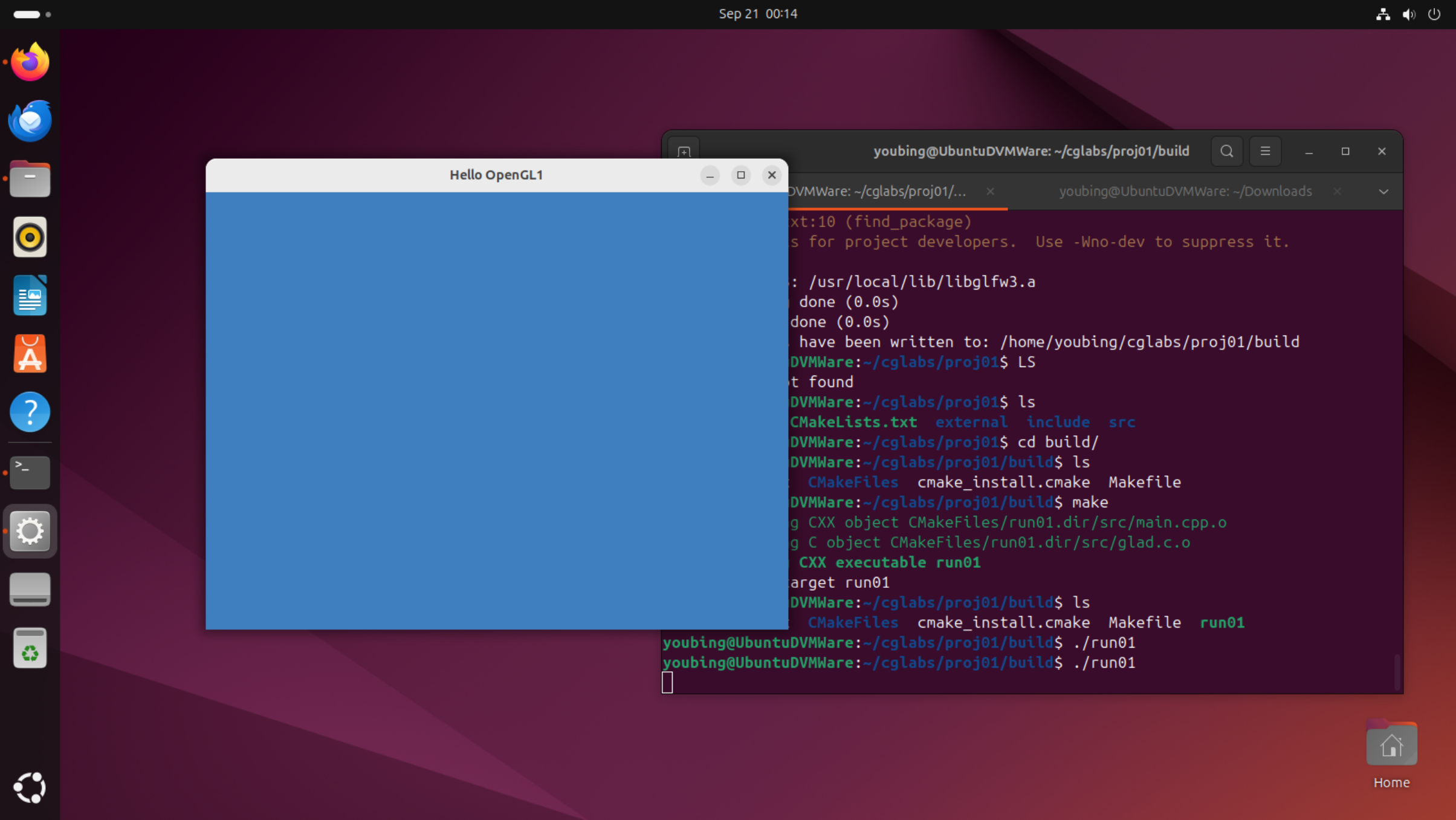
With CMake, you can comipile and run your program on multiple platforms.

The following is an example running on Unbuntu.
<figure><img src="https://3464970502-files.gitbook.io/~/files/v0/b/gitbook-x-prod.appspot.com/o/spaces%2F3JUKGJZ67JX02QZdPhsy%2Fuploads%2FK4xuUcKo2boqehPeg8G2%2Fbf7bacdf-6afb-4ac0-a9e7-755cf5b71251.png?alt=media&#x26;token=ede58de9-c7ad-4f9d-821a-756e80f48aed" alt=""><figcaption></figcaption></figure>