# T6 Recursive Diffuse (Milestone 3)
We have learned the Lambertian diffuse model in the last semester.
Here we are going to use that gain to calculate the pixel colour.
#### 6.1 Add random\_unit\_vector()
Add two random() function in the vec3 class
```cpp
class vec3 {
public:
//...
static vec3 random() {
return vec3(random_double(), random_double(), random_double());
}
static vec3 random(double min, double max) {
return vec3(random_double(min,max), random_double(min,max), random_double(min,max));
}
};
```
Add random\_unit\_vector() to the end of vec3.h, out side class vec3, before #endif
```cpp
//==============================================
inline vec3 random_unit_vector() {
while (true) {
auto p = vec3::random(-1,1);
auto lensq = p.length_squared();
if (1e-160 < lensq && lensq <= 1)
return p / sqrt(lensq);
}
}
//==============================================
#endif
```
### Limiting the Number of Child Rays in camera.h
#### 6.2 Add a public member max\_depth
```
class camera {
public:
int max_depth = 10; // Maximum number of ray bounces into scene
// ...
};
```
Revise the for loop in the render() function
```cpp
for (int j = 0; j < image_height; j++) {
std::clog << "\rScanlines remaining: " << (image_height - j) << ' ' << std::flush;
for (int i = 0; i < image_width; i++) {
color pixel_color(0,0,0);
for (int sample = 0; sample < samples_per_pixel; sample++) {
ray r = get_ray(i, j);
//pixel_color += ray_color(r, world);
pixel_color += ray_color(r, max_depth, world);
}
write_color(std::cout, pixel_samples_scale * pixel_color);
}
}
```
### 6.3 Revise ray\_color() to peform recursive ray tracing
#### Add a depth argument to ray\_color() and check it at the beginning
```cpp
color ray_color(const ray& r, int depth, const hittable& world) const {
// If we've exceeded the ray bounce limit, no more light is gathered.
if (depth <= 0)
return color(0,0,0);
//<<<<<<<<<<<<<<<<<<<<<<<<<<<<<<<<<<<<<<<
//...
}
```
#### Replace the color calculation when hit with recursive ray tracing
```cpp
//if (world.hit(r, interval(0, infinity), rec)) {
// return 0.5 * (rec.normal + color(1,1,1));
//}
// choose a random direction to perform recursive ray tracing
if (world.hit(r, interval(0.001, infinity), rec)) {
vec3 direction = rec.normal + random_unit_vector();
return 0.5 * ray_color(ray(rec.p, direction), depth-1, world);
}
```
#### Set max\_depth in main()
```cpp
int main() {
camera cam;
cam.aspect_ratio = 16.0 / 9.0;
cam.image_width = 400;
cam.samples_per_pixel = 100;
//>>>>>>>>>>>>>>>>>>>>>>>>>>>>>>>>>>>
cam.max_depth = 50;
//<<<<<<<<<<<<<<<<<<<<<<<<<<<<<<<<<<<
// ...
}
```
### Build and Run Your Programme
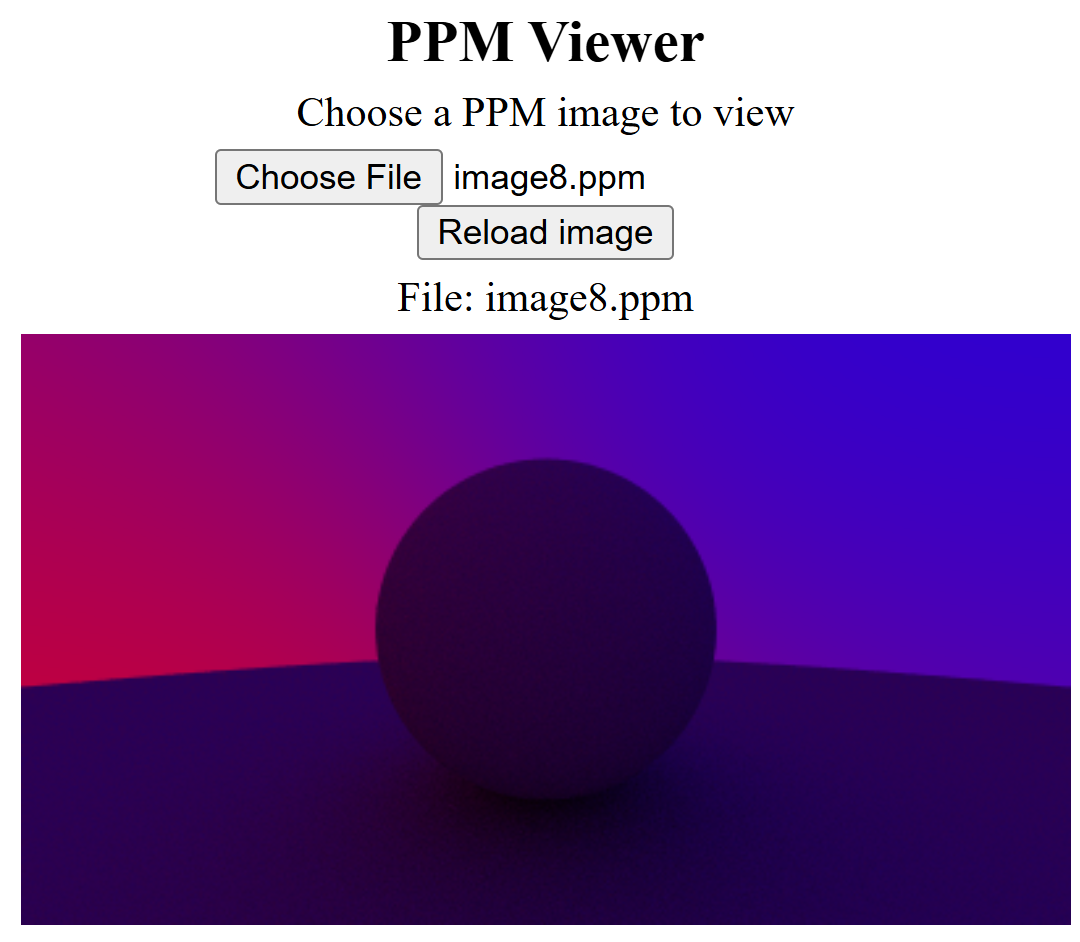
If you build is successful, try to run your programme, for example, as follows:
```
./ray01.exe > image8.ppm
```
Your generated image will besimilar to the following:
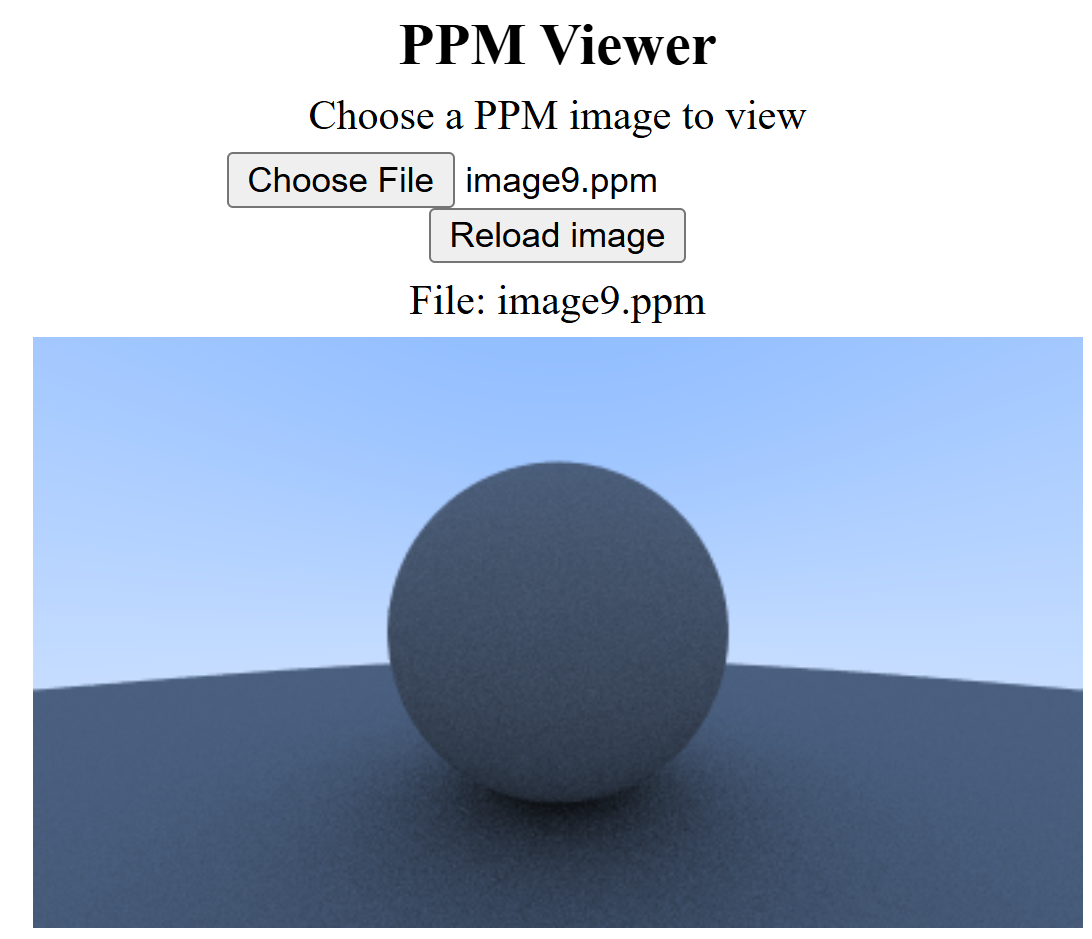
Note: I am using a different background colour from the tutorial. If you like the tutorial sky colour, you can use the following code in your ray\_color() method in the camera class
```cpp
vec3 unit_direction = unit_vector(r.direction());
auto a = 0.5*(unit_direction.y() + 1.0);
return (1.0-a)*color(1.0, 1.0, 1.0) + a*color(0.5, 0.7, 1.0);
```
You should see the same result as in the tutorial: